How to Build an Active Workstation with an Under-Desk Walking Pad
Jump to section
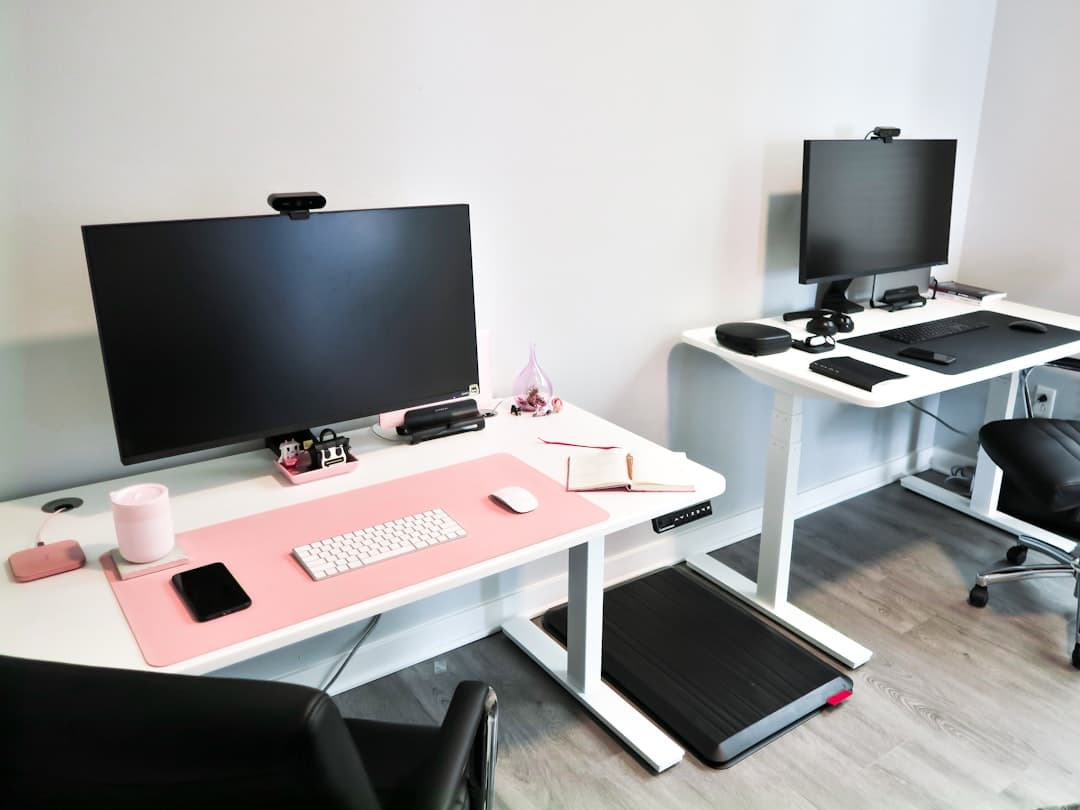
Spending eight to ten hours anchored to an office chair takes a heavy toll on daily energy, posture, and focus. While height-adjustable desks offer an alternative to constant sitting, simply standing still for hours presents its own set of fatigue challenges. Building an active workstation around a walking pad standing desk setup bridges that gap, letting you log thousands of low-intensity steps while handling emails, attending calls, and knocking out administrative tasks. This approach reduces sedentary behavior while keeping your mind sharp throughout the afternoon slump.
Creating a setup that actually works day in and day out requires more than dropping a mini treadmill under your existing desk. You need to account for changed desk clearance, monitor shake, motor noise, cable slack, and realistic pacing so you do not burn out or strain your joints. Please note that while active workstations support everyday comfort and movement, the guidance here focuses on workspace ergonomics and product configuration rather than formal medical advice.
1. Evaluating Your Workstation Needs: Walking Pad vs. Desk Requirements
Before buying equipment, evaluate your current desk setup and daily work patterns. A standard standing desk build may not immediately accommodate a walking belt deck without specific adjustments. Under-desk treadmills and compact walking pads add anywhere from 4 to 6 inches of height off the floor. If your desk already struggles to reach a comfortable standing height for your forearms, adding a walking pad will force you into a hunched, awkward posture.
You must ensure your motorized desk can extend high enough to match your elevated height. A desk that tops out at 45 inches might work well when you stand on the bare floor, but once you step onto a 5-inch walking deck, that same desk height might feel far too low. Check the extended height specifications of your desk frame before committing to a belt unit.
Motor power and duty cycles also dictate how long you can walk each day. Entry-level walking pads are engineered for light, intermittent sessions of 1 to 2 hours. Heavy-duty units designed specifically for home offices feature continuous-duty motors that run quietly for 4 to 6 hours without overheating. Matching your expected daily usage to the right machinery prevents motor burnout and unnecessary returns. If you are starting from scratch on your standing desk frame, reviewing how to plan a budget standing desk setup that lasts offers valuable context on frame stability and motorized lift capacities.
2. Selecting the Right Walking Pad and Height-Adjustable Desk
The market for active desk gear spans budget-friendly compact units to commercial-grade office treadmills. Choosing the right hardware depends on your budget, available floor space, and how many hours you intend to walk daily. Prices reflect typical US market ranges and remain subject to change based on sales, promotions, and current inventory.
Under-Desk Walking Pad Categories
Under-desk walking pads fall into three primary categories depending on motor construction, size, and intended daily runtime:
- Budget & Entry-Level Walking Pads ($150 – $300): Suitable for casual daily use (1 to 2 hours total). Models like the UREVO Strol 2E / CyberPad Series ($180 – $280) offer low profiles, quiet operation, and built-in wheels for quick storage. The Goplus 2-in-1 Under-Desk Treadmill ($200 – $290) provides dual-mode functionality with a folding handrail, while the DeerRun Under-Desk Walking Pad ($150 – $230) delivers an ultra-compact footprint suitable for small apartments. Trade-offs include shorter walking decks, lower weight limits, and lighter motor duty cycles.
- Mid-Range & Foldable Walking Pads ($300 – $600): Ideal for consistent daily use (2 to 4 hours). The WalkingPad C2 / P1 / Z1 series by Kingsmith ($350 – $550) uses patented 180-degree folding technology to slide beneath sofas or low-clearance standing desks. The MERACH UltraWalk W60 / NovaWalk ($300 – $480) brings sturdier frames and higher weight capacities, while the Egofit Walker Pro M1 ($350 – $450) uses a fixed slight incline to encourage higher calorie burn within an extremely short footprint. Trade-offs include slightly heavier frames to move when switching to a chair.
- Heavy-Duty Workstation Treadmills ($800 – $2,000+): Built for full-time remote workers logging 5 or more hours daily. The LifeSpan TR1200-GlowUp / TR5000 Under-Desk Treadmill ($1,000 – $1,800) features continuous-duty motors, heavy shock absorption, and high longevity. The iMovR Unsit Office Treadmill ($1,900 – $2,300) offers an extra-wide 30-inch deck designed specifically for walking speeds rather than running. Trade-offs are high cost, heavy weight, and a permanent footprint that requires dedicated floor space.
Height-Adjustable Desk Options
Because a walking pad raises your standing height by several inches, a stable dual-motor electric desk with a broad height range is essential:
- FlexiSpot E5 / E7 Standing Desk ($250 – $550): A reliable budget-to-mid-range option featuring dual motors, strong lift capacity, and stable telescoping legs that handle elevated heights well.
- UPLIFT Desk V2 / V3 Electric Standing Desk ($600 – $1,100+): An industry-standard desk with optional crossbars for superior stability at high extensions, backed by a 15-year warranty. You can read our long-term UPLIFT Desk review to evaluate how its frame stability holds up under active movement.
- Jarvis Standing Desk by Herman Miller ($700 – $1,200): Features smooth motor mechanisms, extensive height range options, and premium desktop finishes.
3. Calculating Ergonomic Clearance and Height Adjustments
Proper posture while walking requires a precise approach to desk geometry. Incorrect desk height causes shoulder shrugging, wrist strain, and neck tilt, counteracting the benefits of moving while working. Calculating your target desk height starts with simple measurements.
First, stand barefoot or in your preferred walking shoes on the floor. Bend your elbows at a 90-degree angle and measure the distance from the floor to the underside of your forearms. Next, measure the step-up height of your walking pad belt from the floor (typically 4 to 6 inches). Add the belt height to your natural standing forearm height. This sum is your target desk surface height while walking.
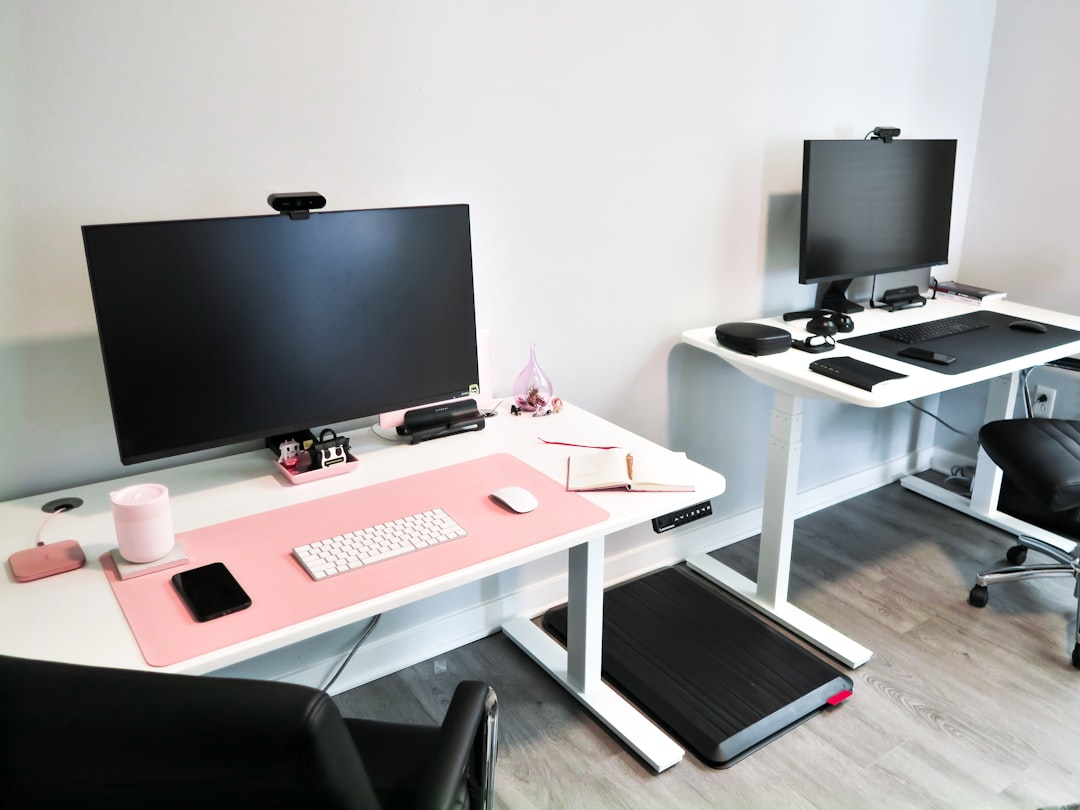
For example, if your standing elbow height is 42 inches and your walking pad belt sits 5 inches off the floor, your desk top must improve to 47 inches while you walk. When typing, your forearms should rest parallel to the desk surface, with elbows open at a 90 to 100-degree angle and wrists neutral without bend.
Monitor placement requires equal attention. Step onto the belt and stand tall. Position your monitor so the top third of the screen aligns directly at eye level, roughly 20 to 30 inches away from your face. If your monitor sits too low, you will incline your head forward, placing excess stress on your cervical spine. Aligning your screen height correctly maintains a neutral spine while your feet remain in motion. If you use a multi-screen arrangement, our guide on setting up dual monitors ergonomically explains how to position primary and secondary screens to prevent neck rotation.
4. Assembly and Spatial Layout Setup Checklist
Setting up your active workstation requires clear spatial planning to ensure safety, ease of transition, and clean cord routing. Before powering up the treadmill deck, run through this setup checklist to ensure your home office remains safe and efficient.
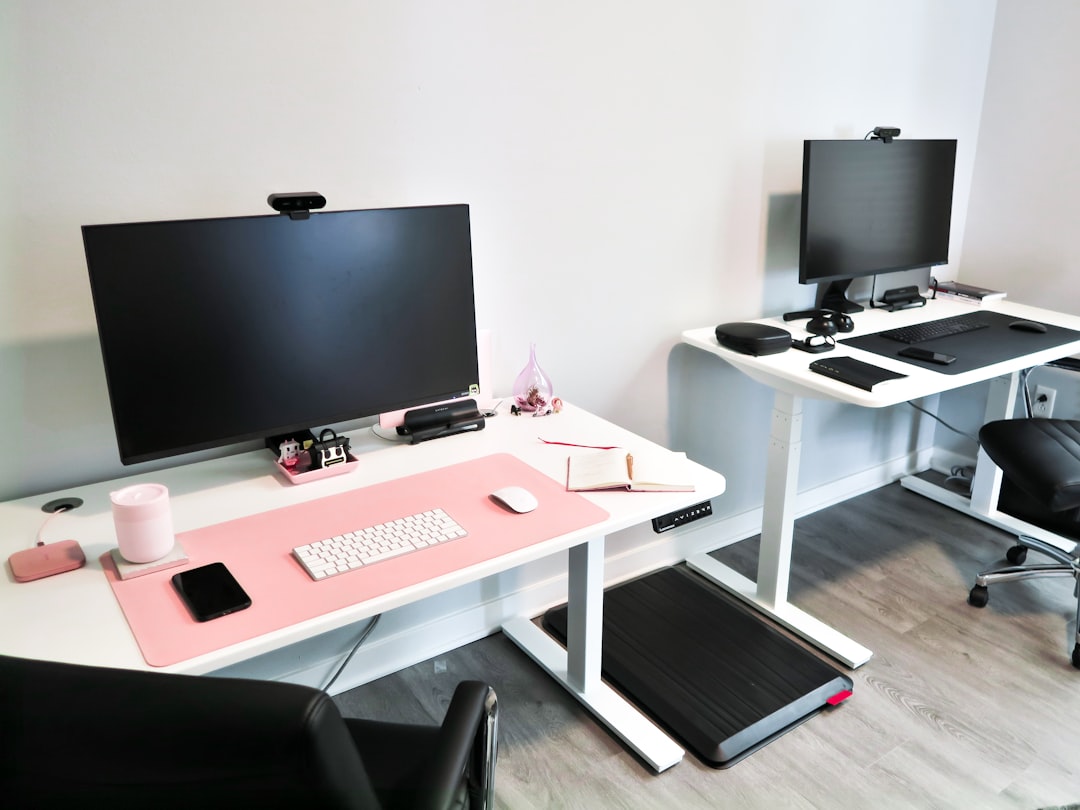
- Measure rear safety clearance, leaving at least 2 to 3 feet of clear floor space behind the walking pad belt to prevent trip hazards.
- Place a high-density rubber or PVC equipment mat on the floor beneath the walking pad to absorb motor vibration and protect flooring.
- Check power cord reach and verify that the walking pad connects directly to a surge protector or grounded wall outlet without tension.
- improve your desk to its maximum intended walking height and verify that all monitor, power, and peripheral cables have sufficient slack.
- Attach a safety stop clip tether within easy reach near your keyboard tray or desk frame edge.
- Clear side pathways so you can step off the deck safely without bumping into desk legs, storage drawers, or walls.
Cable management requires extra care when raising desks to maximum height. Cables stretched taut can snag on desk frame components or unseat ports on your computer during desk movement. Gathering power bricks into an under-desk cable tray keeps wires off the floor and out of the walking belt's path. For detailed cable routing techniques, refer to our desk cable management guide.
5. Managing Noise, Vibration, and Screen Bounce
Walking while working introduces physical kinetic energy into your desk frame, which can cause monitor wobble or transmission noise during voice calls. Addressing these factors ensures your setup remains quiet and stable during intense focus sessions or client meetings.
Eliminating Monitor Bounce
As your feet strike the walking belt, light impact forces travel up your body and into the desk surface. If your monitors rest on factory stock stands, they will oscillate, causing visual fatigue. Mounting your screens to a heavy-duty, desk-clamped monitor arm constructed from thick steel or aluminum dampens these micro-vibrations. Secure the clamp to the center or strongest point of the desk frame, and tighten all arm tension joints to hold the display rigid.
Dampening Motor and Footfall Noise
Motor hum and belt friction travel down into floorboards, creating low-frequency noise that resonates through home offices. Placing a dense equipment mat under the treadmill dampens vibration before it reaches the floor. Additionally, wearing cushioned running shoes with smooth treads reduces footfall noise while protecting your arches and heels from prolonged impact on flat walking belts.
Handling Calls and Power Consumption
During video conference calls, slow your walking speed to 1.0 mph or pause the belt if you are presenting complex material. Utilizing a quality headset equipped with noise-suppressing boom microphones effectively filters out continuous background fan and motor hum, keeping your audio crystal clear for meeting participants.
Regarding power consumption, most under-desk walking pads draw between 300 and 800 Watts under normal continuous walking loads (0.75 HP to 2.25 HP peak motors). Walking for 2 hours daily typically adds less than $2 to $5 per month to standard US residential electricity bills, making it an efficient way to stay active indoors.
6. Pacing Your Workday Transition: Speeds, Schedules, and Transitions
Transitioning into an active workstation setup should be a gradual process. Expecting to walk eight hours on day one leads to sore feet, tight calves, and fatigue that reduces your productivity. Building momentum over three to four weeks allows your muscles and joints to adapt naturally.
Ideal Walking Speeds
Speed selection directly impacts your ability to focus and complete fine motor tasks:
- 1.0 to 1.5 mph (The Sweet Spot): Best for typing, drafting emails, coding, and attending routine meetings. Upper-body movement remains subtle, allowing your hands to stay steady on the keyboard and mouse.
- 1.5 to 2.0 mph: Ideal for reading long documents, reviewing slide decks, brainstorming, or attending internal listening calls. Typing accuracy drops slightly at this pace.
- Speeds Above 2.5 mph: Not recommended for active desk work. Higher speeds induce excessive torso movement and heavy breathing, making typing difficult and distracting.
Structuring Your Daily Schedule
Divide your day into alternating blocks of sitting, standing, and walking. Begin with two 30-minute walking sessions per day—one in the mid-morning and one during the early afternoon slump. Spend the rest of your day alternating between standing and sitting in a well-supported chair.
As your stamina increases, expand your walking blocks to 45 or 60 minutes, targeting a cumulative total of 2 to 3 hours of walking daily. Keep an anti-fatigue standing mat nearby so you can easily shift from walking to static standing, or wheel your office chair back into position when it is time for deep, focused writing or complex calculations.
Keep reading
Related Articles

Uplift Desk Long-Term Review: Practical Ergonomics and Real Workspace Trade-offs
A long-term practical setup guide for the Uplift Desk, covering ergonomic height calibration, frame stability, cable routing, and real-world workspace trade-offs.
Ergonomic Dual Monitor Desk Setup for Remote Work: Full Setup Guide
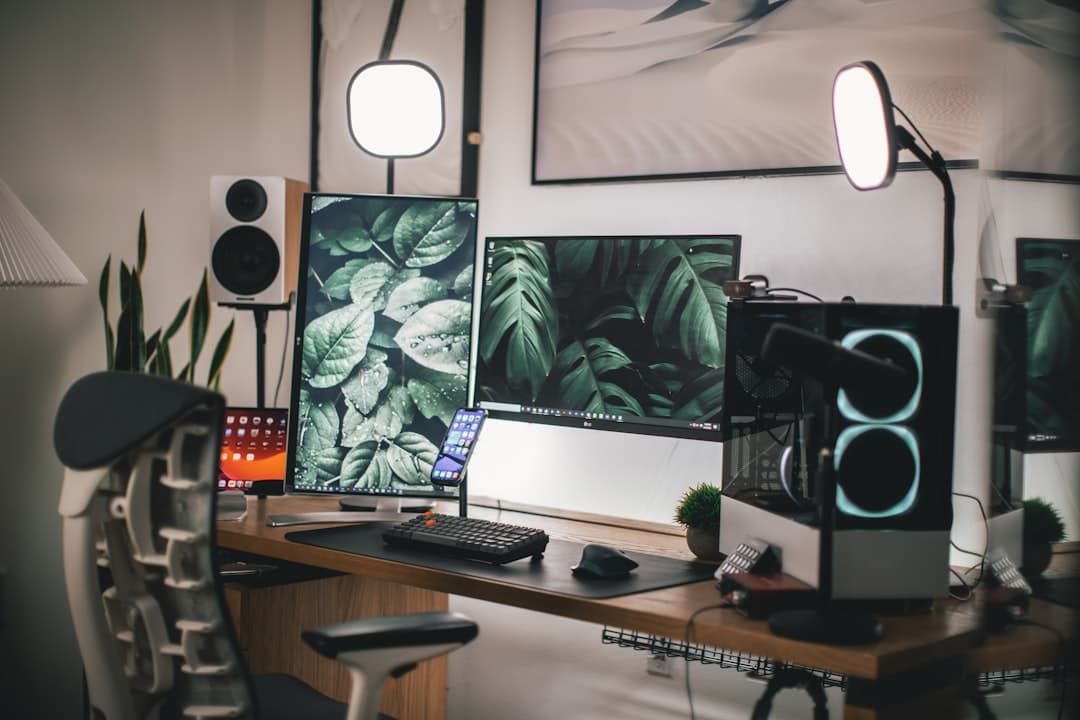
Learn how to build an ergonomic dual monitor desk setup for remote work that keeps your neck comfortable, eliminates cable clutter, and boosts daily output.