
Choosing a UPS Battery Backup Home Office Protection Plan
Jump to section
You are halfway through drafting an urgent client proposal or presenting to your team on a video call when the lights flicker. Within a fraction of a second, your screen goes completely black, your desktop tower turns off, and your Wi-Fi router drops offline. By the time utility power stabilizes thirty seconds later, your unsaved progress is lost, your network modem spent five minutes renegotiating its signal, and your momentum is destroyed. Power instability is one of the most frustrating risks facing remote workers. Installing a ups battery backup home office system provides immediate relief against these sudden brownouts, power spikes, and blackout events, giving you the critical time needed to save your work and keep your internet connection alive.
Residential power grids experience frequent micro-outages and voltage sags that standard surge protectors simply cannot catch. While a standard surge strip protects against high-voltage surges caused by lightning or transformer failures, it does nothing when power drops below operating thresholds. For remote workers operating desktop PCs, external drives, or home servers, even a two-second voltage drop forces an abrupt system reset. This unexpected shutdown can corrupt open files, crash operating system files, and stress delicate internal components.
Ups battery backup home office: Surge Protectors vs. UPS Systems: Why Surge Strips Aren't Enough
Understanding the distinction between standard surge protection and an uninterruptible power supply (UPS) is the foundation of building a resilient remote workspace. A surge protector acts as a barrier, routing excess electrical voltage away from plugged-in devices during high-voltage spikes. However, surge strips operate strictly on a defense-against-excess model. They cannot supply supplementary power when utility electrical voltage drops below normal operating ranges, a common occurrence known as a brownout.
A dedicated ups battery backup home office setup bridges this functional gap by combining surge suppression circuitry with an internal rechargeable battery and an inverter. When incoming utility power drops, spikes, or fails entirely, the UPS instantly shifts from line power to internal battery power. This transfer occurs in a matter of milliseconds, preventing high-end desktop computers, multi-monitor arrays, and local network storage devices from resetting or losing power. Beyond blackout defense, quality battery backups continuously condition incoming power, absorbing smaller voltage fluctuations that degrade electronic components over extended periods.
The Three UPS Topologies Explained
Not all UPS devices operate the same way. When selecting a ups battery backup home office solution, it is vital to match the internal architecture—known as topology—to your specific hardware sensitivity and budget constraints. Uninterruptible power supplies are categorized into three primary topologies:
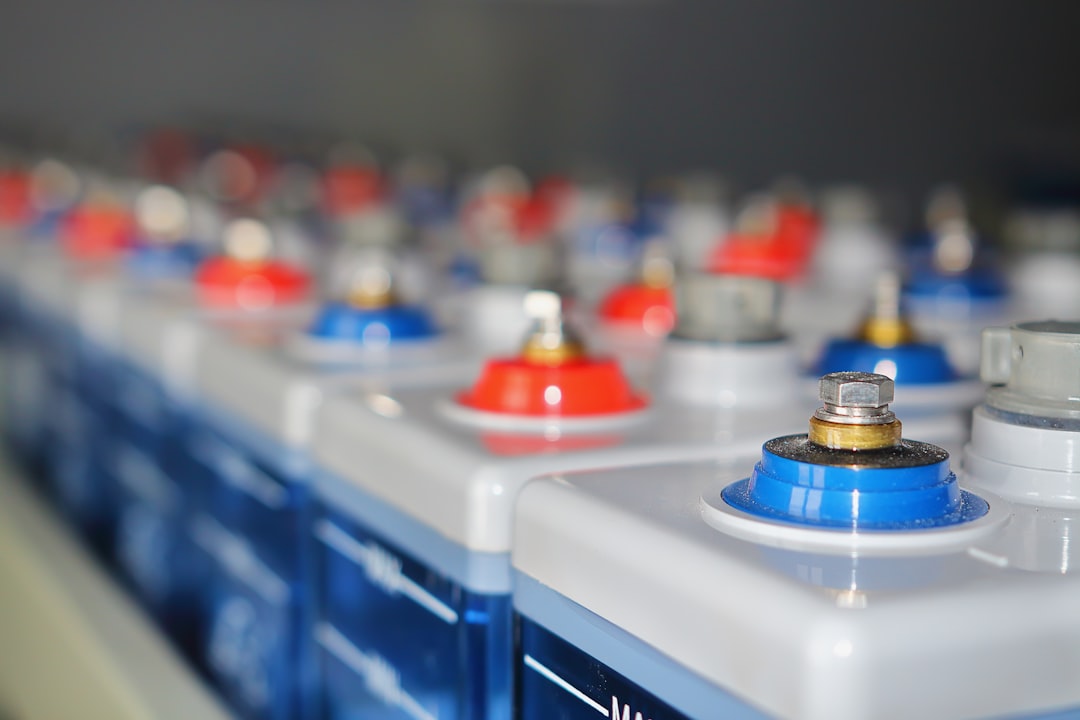
- Standby (Off-line): The most basic topology. Under normal conditions, utility power passes directly through the unit to connected hardware. When the UPS detects utility power failure or severe voltage drops, a mechanical switch transfers the load to the internal battery and inverter. The switch transfer time usually ranges between 6 to 10 milliseconds. Standby units are cost-effective and well-suited for basic home office gear like modems, Wi-Fi routers, ink-jet printers, and basic desktop computers.
- Line-Interactive: This topology incorporates an Automatic Voltage Regulation (AVR) transformer. AVR allows the UPS to compensate for minor voltage sags and surges without switching over to internal battery power. By regulating incoming voltage directly, Line-Interactive units extend battery lifespan and provide continuous power stability. Line-Interactive designs offer a lower transfer time (typically 2 to 4 milliseconds) and represent the sweet spot for modern home office workstations, external RAID storage, and performance desktop PCs.
- Online (Double-Conversion): Designed for mission-critical infrastructure, an online UPS continuously converts incoming AC utility power into DC power, and then back into clean AC power for output devices. Because the inverter constantly supplies power to connected loads, there is zero transfer time during a power failure. While online double-conversion units offer absolute power isolation and zero transfer lag, they generate continuous cooling fan noise, dissipate more heat, and come at a significantly higher price point, making them necessary primarily for home servers or critical telecommunications racks.
Pure Sine Wave vs. Simulated Sine Wave Output
Another crucial factor when evaluating a ups battery backup home office arrangement is output waveform quality. AC electricity delivered by municipal utility companies alternates in a smooth, continuous sine wave. When a UPS switches to battery operation, its inverter must generate an AC output signal, which typically takes one of two shapes: simulated (stepped) sine wave or pure (true) sine wave.
Simulated sine wave units approximate an AC signal by generating blocky, rectangular wave steps. While this is sufficient for basic electronics such as simple monitors, network routers, and low-power power supplies, it can cause severe compatibility issues with modern computer equipment. Most contemporary desktop computers, Apple Workstations, gaming PCs, and energy-efficient power supplies feature Active Power Factor Correction (Active PFC). Active PFC power supplies expect clean utility-grade power. When fed a simulated sine wave during a power outage, an Active PFC power supply may treat the blocky signal as a power anomaly, causing the computer to shut down instantly or trip the UPS overload sensor.
Investing in a pure sine wave UPS ensures smooth electrical delivery that mirrors utility power, eliminating system shutdowns, audible hums, and thermal stress on Active PFC computer components and sensitive audio-visual hardware.
Calculating Power Requirements: Volt-Amperes (VA) vs. Watts
Selecting the correct capacity for your ups battery backup home office setup requires an accurate assessment of power consumption. UPS capacity is rated using two metrics: Volt-Amperes (VA) and Watts (W). The Watt rating indicates real power consumed by connected equipment, while the VA rating measures apparent power based on electrical current and voltage draw.
To calculate your sizing needs accurately, perform an inventory of all equipment requiring continuous uptime during an outage. Focus on mission-critical electronics while isolating non-essential peripherals onto non-battery outlets:
- Essential Equipment (Connect to Battery + Surge Outlets): Desktop PC tower, external primary display monitor, cable/fiber modem, Wi-Fi router, network-attached storage (NAS), and external backup drives.
- Non-Essential Equipment (Connect to Surge-Only Outlets or Separate Strips): Laser printers, desk lamps, paper shredders, secondary decorative lighting, and mobile phone chargers. Laser printers in particular draw sudden high-wattage heating bursts during warm-up cycles that can easily overload a UPS battery circuit.
Calculate your target wattage by identifying the peak power draw of your essential hardware. For example, a mid-range desktop workstation (300W), a 27-inch monitor (35W), and a network modem/router combo (25W) consume approximately 360 Watts total. To prevent overload and account for sudden hardware power spikes, add a safety buffer of at least 20 to 25 percent to your total wattage calculation. In this scenario, a target power ceiling of 450 Watts requires a UPS rated for at least 750VA to 1000VA.
UPS Battery Chemistries: SLA vs. Lithium-Ion
The internal battery chemistry of your UPS dictates its physical weight, operational lifespan, and long-term maintenance costs. Historically, sealed lead-acid (SLA) batteries have dominated the backup power market. SLA units are economical up-front, but their internal batteries degrade over time due to heat and charge cycles, typically requiring physical replacement every three to five years.
Lithium-Ion (or Lithium Iron Phosphate, LiFePO4) UPS systems represent a modern alternative for home office deployment. Although Lithium-Ion units carry a higher initial purchase price, they offer substantial advantages:
- Extended Lifespan: Lithium batteries frequently offer an operational service life of eight to ten years, reducing the frequency of battery replacements.
- Smaller Footprint & Lighter Weight: Lithium-Ion units weigh up to 30 to 50 percent less than equivalent SLA units, making them easier to mount under desks or place on elevated shelving.
- Faster Recharge Times: Lithium batteries recover to full charge capacity significantly faster after utility power is restored, ensuring readiness during repeated storm outages.
Structuring Your Home Office Protection Plan
A comprehensive ups battery backup home office strategy relies on strategic equipment grouping rather than plugging every desk item into a single large unit. Distributing your power protection across dedicated zones optimizes runtime and minimizes single points of failure.

Consider establishing two distinct power zones in your workspace:
- The Workstation Zone: Deploy a Line-Interactive, Pure Sine Wave UPS (1000VA to 1500VA) dedicated directly to your computer tower, main monitor, and active external drives. This setup guarantees 10 to 20 minutes of runtime during an outage—more than enough time to save work, finish critical calls, and execute a controlled system shutdown.
- The Network Zone: Position a compact, lower-wattage Standby or Line-Interactive UPS (450VA to 750VA) near your incoming internet entry point to power only your modem, router, and network switches. Because networking hardware draws very low power (typically 15-30W), even a small UPS can keep your home Wi-Fi operational for up to 60 to 120 minutes during prolonged regional blackouts, allowing you to stay connected via laptops or mobile devices.
Additionally, take advantage of automated shutdown software provided by major UPS manufacturers. Connecting your primary UPS to your computer via USB enables software management tools to trigger an automatic, safe system shutdown if battery levels drop below a critical threshold while you are away from your desk.
UPS Maintenance and Long-Term Reliability
To ensure your ups battery backup home office protection plan functions reliably when severe weather strikes, institute basic periodic maintenance habits. Perform self-test diagnostics using the built-in UPS control menu or management software every six months to test battery health. Periodically inspect battery status indicators, keep unit cooling vents clear of dust accumulations, and avoid overloading battery outlets with high-draw appliances. By systematically sizing your equipment, choosing pure sine wave technology, and isolating critical networking hardware, you ensure continuous productivity and total data integrity through any power disturbance.
Keep reading
Related Articles

Thunderbolt 4 Desk Setup Guide: Achieving Single-Cable Connectivity
Learn how to design a high-performance Thunderbolt 4 desk setup to power dual 4K displays, high-speed storage, and charging through a single laptop cable.

Connect work laptop to personal monitor: How to Share One Monitor Between Personal and Work Laptops Using a KVM Switch
Learn how to connect a work laptop to your personal monitor using a KVM switch to share your screen, keyboard, and mouse without daily cable swapping.