Portable workspace accessories hybrid commuters: Essential Portable Workspace Accessories for Hybrid Commuters
Jump to section
Ever unpacked your backpack at an office hot desk only to realize you left your main charging cable or video adapter on your kitchen counter? Switching daily between a home desk and a corporate office, co-working space, or coffee shop introduces unique friction to your workday. Packing a mobile setup requires balancing physical weight, hardware protection, and setup speed. Choosing the right portable workspace accessories hybrid commuters rely on is not about hoarding every minimalist gadget on the market; it is about building a durable, streamlined kit that sets up in under two minutes and supports posture wherever you work.
When you work in multiple environments throughout the week, efficiency depends on consistency. A well-planned commuter setup ensures you have identical input ergonomics and connectivity options regardless of where you sit down to work. By focusing on multi-functional gear, compact form factors, and protective storage, you can stop fighting with tangled cables or awkward seating arrangements and focus on your actual work.
Portable workspace accessories hybrid commuters: Foldable Ergonomic Laptop Stands That Fit in a Slim Sleeve
Hunching over a laptop display resting directly on a table forces your head forward and puts severe strain on your neck, upper back, and shoulders over an eight-hour shift. While a full-sized monitor arm or heavy desktop stand is ideal for a dedicated home office, mobile workers need lightweight elevation that collapses flat. Foldable laptop stands bridge this gap by raising your screen to eye level on the go.
When evaluating portable stands, the two primary categories are collapsible composite frame stands (such as the Roost or Nexstand) and flat-folding aluminum plate designs (like those from MOFT or Nulaxy). Composite frame stands fold down into thin cylindrical shapes, making them easy to slide into a water bottle pocket or bag side sleeve. They generally offer impressive vertical lift—raising your screen six to eight inches above desk height—which makes a major difference for taller remote workers. However, because they improve the laptop entirely, they require a separate keyboard and mouse.
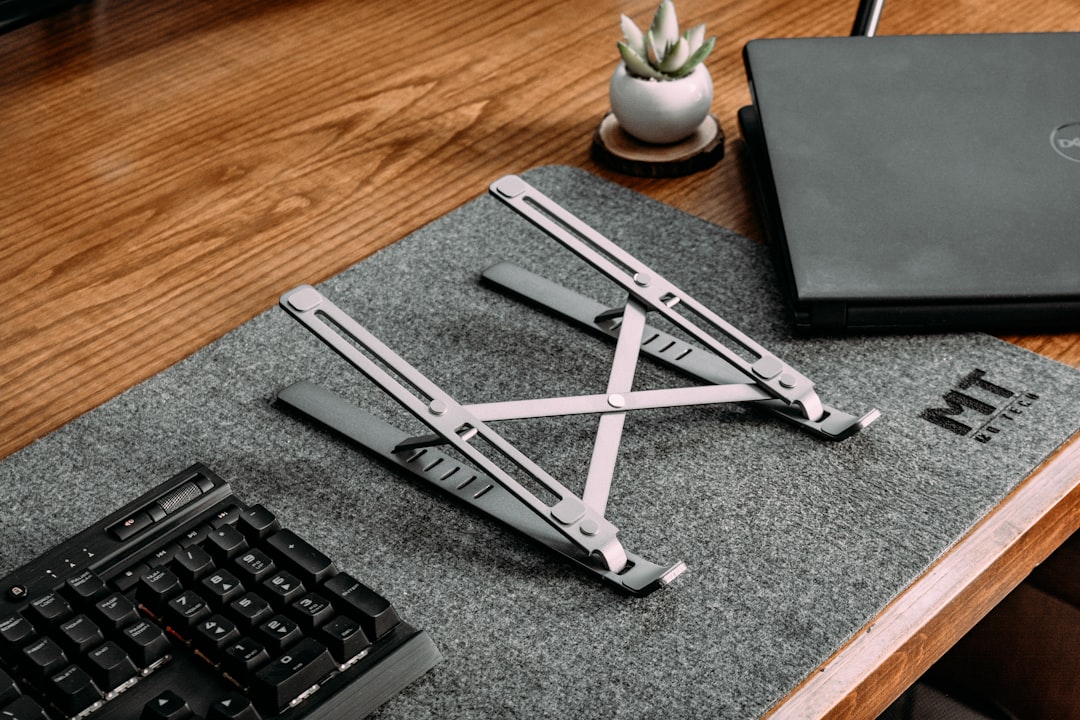
Flat-folding aluminum stands attach directly to the bottom of your laptop or slide into your laptop sleeve like a thin clipboard. They set up instantly with magnetic flaps and offer modest elevation of two to three inches. While they add almost zero bulk to your bag, they provide less vertical height and may not bring the display high enough for optimal eye alignment if you sit at standard-height office desks.
From an ergonomic perspective, placing your screen top-third at eye level reduces forward neck flexion. Always remember that an elevated laptop is strictly a display; typing directly on a raised laptop keyboard angles your wrists upward, which causes wrist joint strain. Always pair an elevated laptop stand with a compact external keyboard and mouse. Note that these structural setup tips are designed to enhance day-to-day desk comfort and do not constitute formal medical advice.
Compact Keyboards and Precision Mice for Mobile Focus
Relying on a built-in laptop keyboard and trackpad for quick emails at an airport terminal works fine, but executing detailed projects at a client site or shared hot desk demands dedicated external peripherals. Bringing your own keyboard and mouse lets you maintain muscle memory and wrist comfort anywhere you work.
Low-profile wireless mechanical keyboards have become a favorite for mobile workers. Options like the Keychron K3 or NuPhy Air series offer deep key travel and satisfying tactile feel while remaining less than an inch thick. Alternatively, compact membrane keyboards such as the Logitech MX Keys Mini offer silent operation, multi-device Bluetooth switching, and long battery life in a lightweight package.
The major trade-off with portable keyboards is switch noise versus typing feel. Mechanical switches feel great for long typing sessions, but loud clicky switches will irritate nearby coworkers in quiet open-plan offices. If you opt for a mechanical board, select linear red switches or dampened tactile brown switches to keep typing noise to a minimum. Look for 60% or 75% layout keyboards, which remove the number pad and navigation cluster to keep total width under 12 inches and weight under 1.2 pounds.
For mobile mice, compact precision sensors are crucial. Office desks, glass conference tables, and wooden coffee shop counters vary wildly in surface texture. A mouse equipped with a high-grade optical sensor (like the Logitech MX Anywhere 3S) tracks cleanly on almost any surface without requiring a mouse pad. Compact mice with hyper-fast scroll wheels make navigation through large spreadsheets or long documents quick. To prevent keys from snapping off or scroll wheels from jamming inside your bag, carry your peripherals in soft neoprene sleeves or dedicated organizer pockets.
High-Wattage GaN Chargers and USB-C Hubs
Lugging around original equipment manufacturer power bricks for your laptop, phone, tablet, and wireless headphones fills up your backpack and adds noticeable deadweight. Gallium Nitride (GaN) charger technology solves this issue by replacing bulky silicon components with denser semiconductor material, allowing power blocks to shrink significantly while delivering higher wattage across multiple ports.
A single 65-watt or 100-watt multi-port GaN charger can replace three separate wall adapters. With multiple USB-C and USB-A ports built into a block smaller than a deck of cards, you can charge your laptop, phone, and wireless earbuds from a single wall outlet. This is especially helpful in co-working spaces or older office buildings where wall outlets are limited.
Pairing your GaN charger with a versatile USB-C hub creates a mobile docking station. Select a multi-port hub that includes pass-through Power Delivery (PD), a 4K HDMI port for external monitors, and multiple USB ports for flash drives or peripheral dongles. Pay close attention to power allocation math: if your laptop requires 65 watts of continuous power and your USB-C hub consumes 15 watts to run its internal controller and connected ports, plugging a 65W charger into the hub will only pass 50 watts through to the laptop. Under heavy workloads, your computer battery might drain slowly even while plugged in. To avoid this, use an 80W or 100W GaN charger when running power through a pass-through hub.
Cables themselves are another common point of failure. Thin, rubberized stock cables break easily near the strain relief collars when bent tightly in backpacks. Invest in high-wattage, nylon-braided USB-C cables rated for 100W power delivery and 10Gbps data transfers, secured with silicone ties rather than plastic twist ties. For tips on managing power cords on your permanent home setup, read our guide on Desk Cable Management Essentials: A Practical Step-by-Step Guide.
Active Noise Isolation and Compact Communications
Open office designs, hot-desking zones, and busy cafes present constant background noise and visual distractions. Maintaining concentration during focus blocks or presenting clearly on video calls requires active noise cancellation and reliable microphone isolation.
Over-ear active noise-canceling (ANC) headphones offer superior ambient noise suppression and extended ear-cup comfort for long work sessions. However, their physical footprint is significant, and carrying rigid storage cases consumes valuable space in a commuter bag. In-ear ANC earbuds pack high performance into a pocket-sized charging case, making them ideal for light travel, though some users experience inner-ear fatigue after several consecutive hours of use.
Microphone quality is another critical factor for mobile hybrid workers. Built-in laptop microphones capture environmental echo, nearby conversations, and keyboard clicking. Choosing wireless earbuds or a compact headset with multi-microphone beamforming arrays isolates your voice from background noise. Look for hardware with explicit physical mute indicators or inline mute toggles so you can quickly control your audio input during team calls without hunting for software windows.
Tech Organizers and Cable Protection Systems
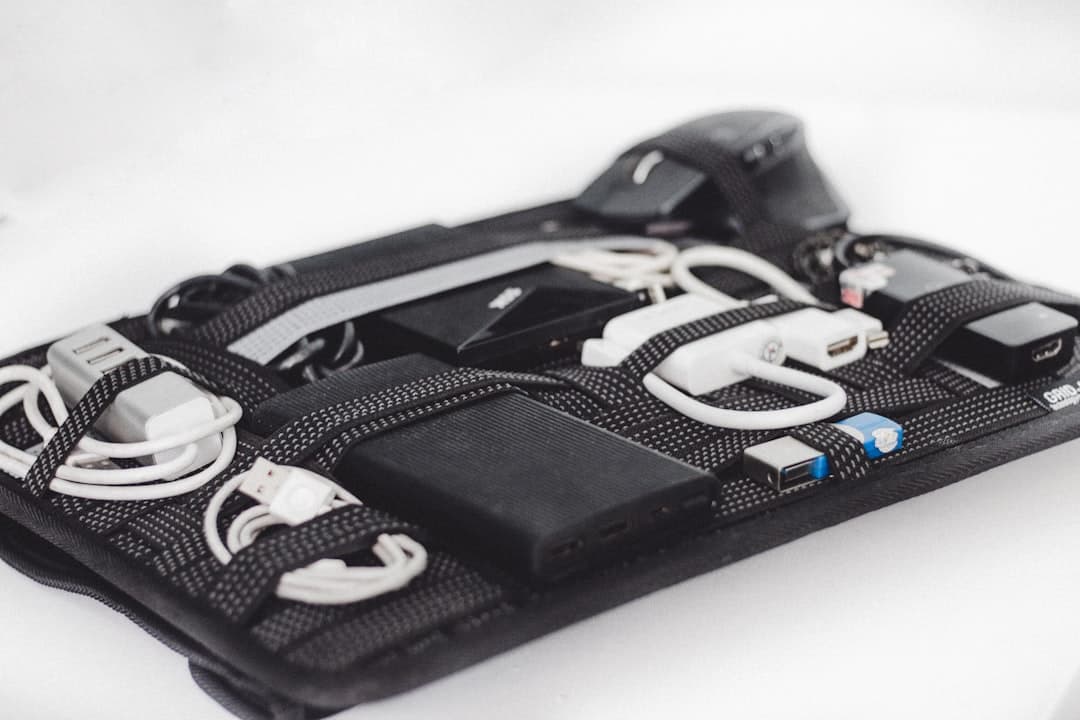
Throwing loose power cords, video adapters, and mice directly into the open compartments of a backpack leads to tangled wires, strained connectors, and lost dongles. A dedicated tech organizer pouch turns a mess of loose gear into a tidy, organized station.
A good tech pouch uses internal elastic loops, zippered mesh pockets, and padded dividers to hold each accessory in place. Structured pouches (such as those from Peak Design, Bellroy, or simple felt tech cases) protect delicate accessories from impact when your backpack is placed under airplane seats or stored on commuter trains. A simple organization method is grouping items by workflow priority: place everyday transit essentials like phone chargers and transit cards in easy-access exterior pockets, while keeping work accessories like your laptop stand, keyboard, mouse, USB-C hub, and wall charger grouped in the central pouch.
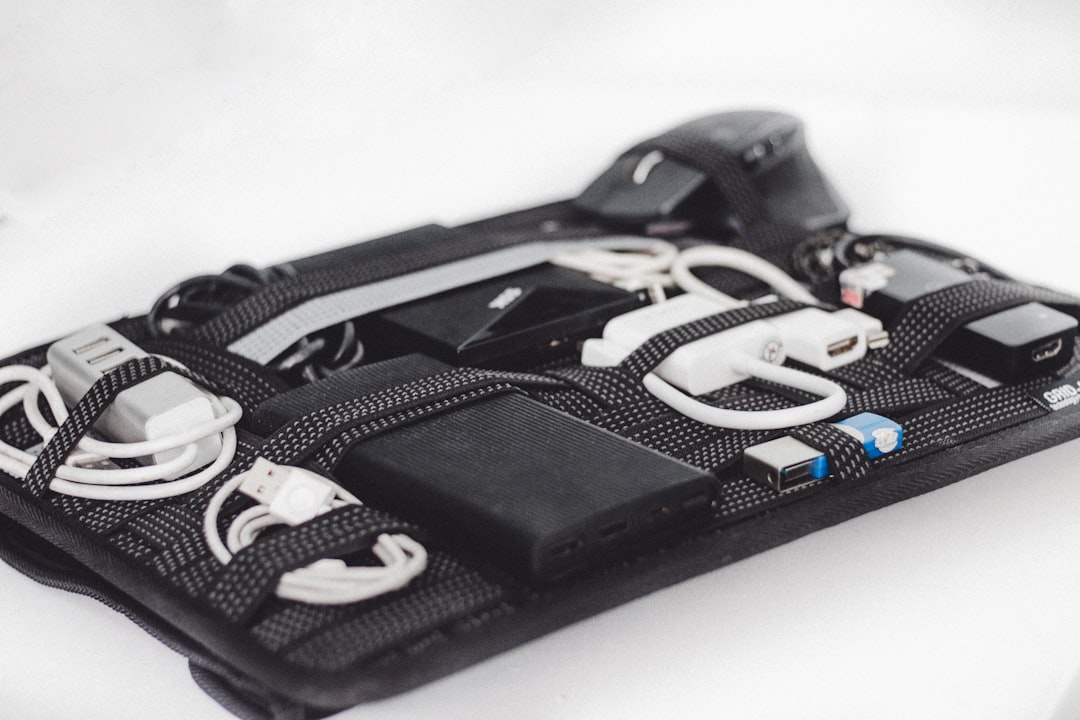
Using a dedicated tech pouch also establishes a visual checklist when packing up. When every item has a specific slot in your organizer, you immediately spot a missing dongle or cable on a dark office desk before leaving for the day. If you are deciding whether hot-desking or maintaining a permanent home setup fits your routine better, consider reading our analysis on Hot Desking vs Dedicated Desk Setup for Hybrid Workers.
Portable Workspace Accessories FAQ
How much total weight should a mobile kit add to a backpack?
A well-balanced mobile workspace kit—including a folding stand, compact keyboard, wireless mouse, multi-port GaN charger, USB-C hub, and necessary cables—should ideally weigh between 2.5 and 4 pounds total. If your pouch exceeds 5 pounds without the laptop, review your accessories to replace heavy metal stands or oversized power bricks with lighter composite materials and integrated multi-chargers.
Are portable USB-C monitors worth carrying every day?
Portable 15.6-inch USB-C monitors provide excellent dual-screen productivity for data entry, coding, or managing reference material side-by-side. However, they add about 1.5 to 2.5 pounds plus screen protection sleeves to your load. If your corporate office offers external monitors at hot desks, leave the portable display at home and rely on office monitors to keep your commute light.
What is the simplest way to avoid leaving dongles behind at hot desks?
Use high-visibility cable ties or choose tech accessories with bright accent colors that stand out against dark corporate desk surfaces. At the end of the workday, adopt an outward packing routine: disconnect peripherals starting from your laptop ports, count your five core accessory items into your pouch, and check the desk surface before zipping your bag closed.
Keep reading
Related Articles

Hot Desking vs Dedicated Desk Setup for Hybrid Workers
Deciding between a flexible hot desking arrangement and a permanent dedicated desk depends on your hybrid schedule, available space, and daily focus demands.